BrainObrain
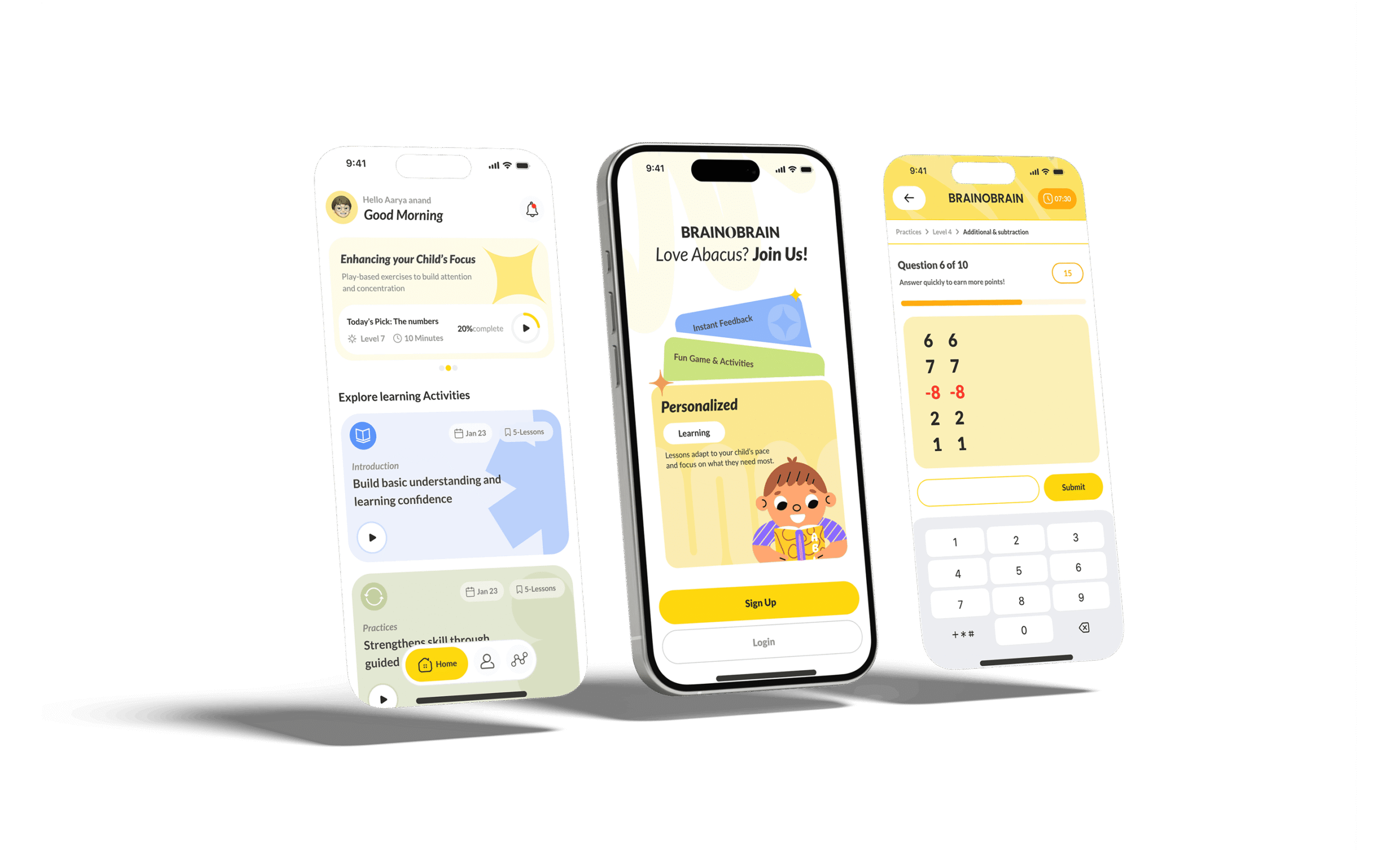
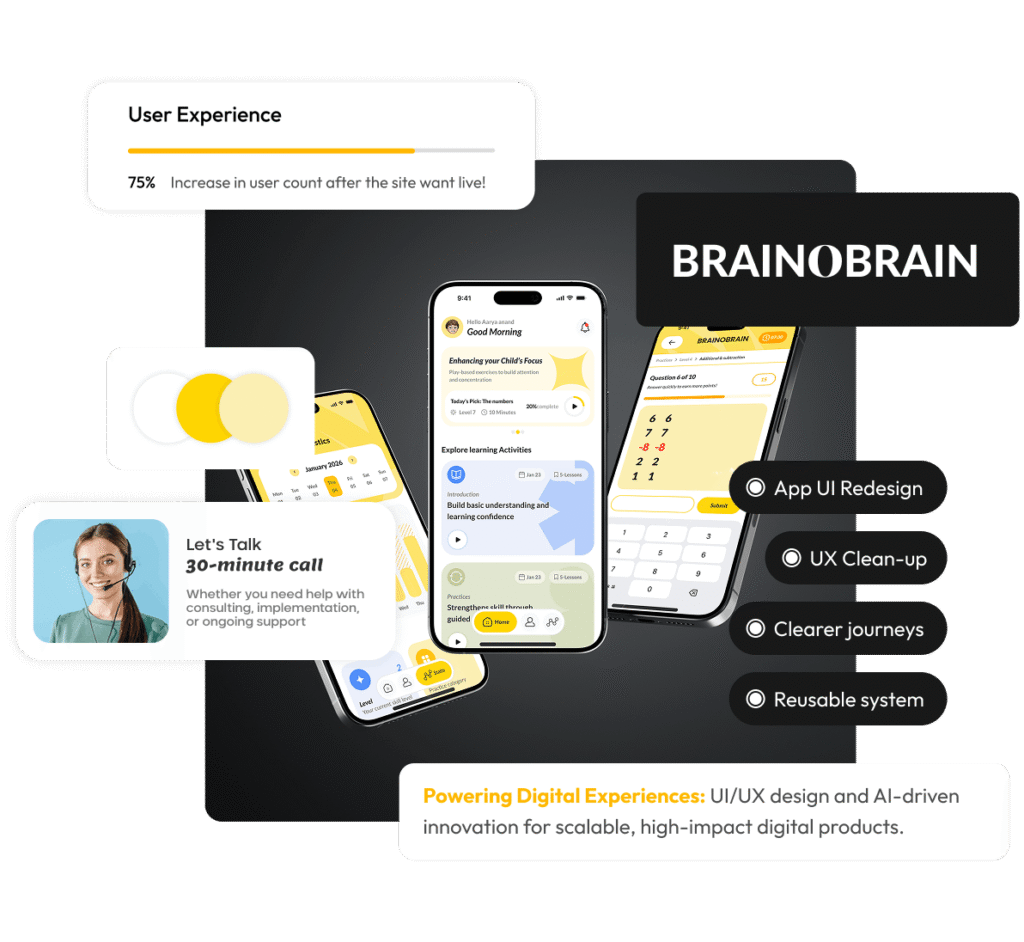
UI redesign for an existing learning app - modernised the experience, improved clarity, and delivered a build-ready UI kit for consistent rollout.

What We Delivered
- Brand identity design
- UI redesign
- UX research
- Chat interface redesign
- Chat implementation notes
- Gamification UX improvements
- Lead funnel optimisation
Project Brief
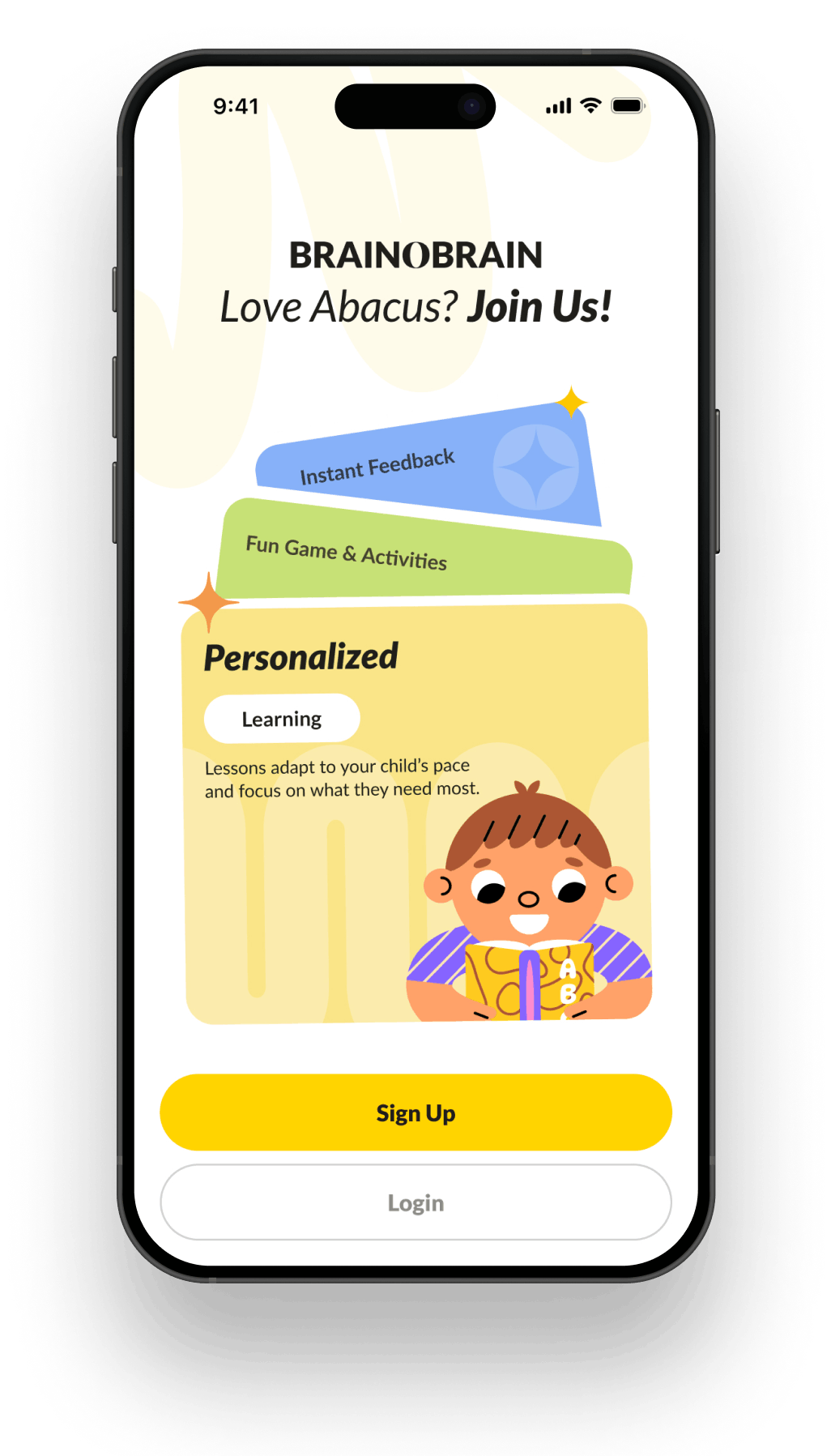
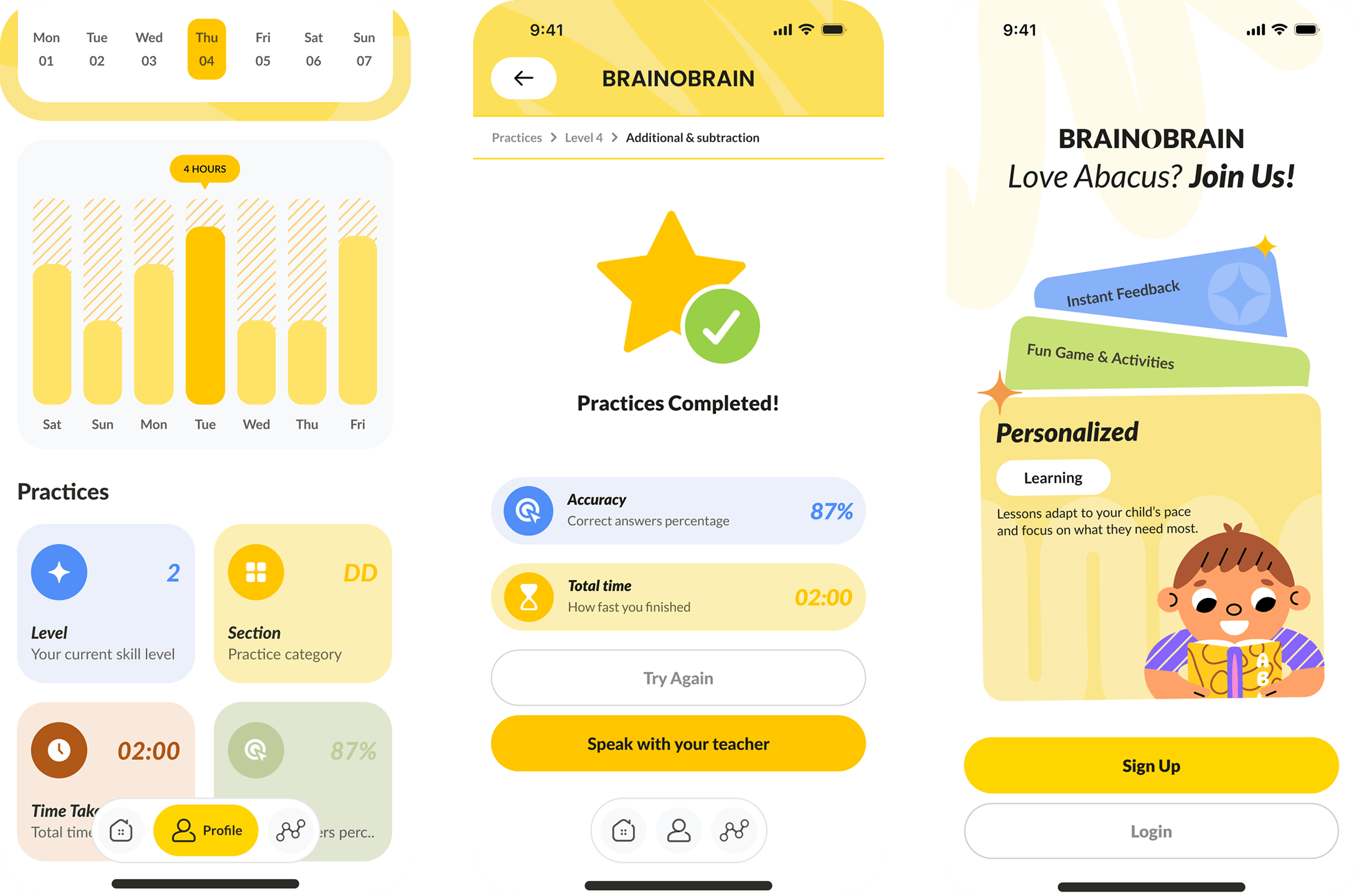
BrainObrain is an established learning app that was referred to us by a previous client. The product worked, but the UI had become a bottleneck: screens felt inconsistent, cluttered, and hard to navigate, especially for first-time users and parents evaluating the app.
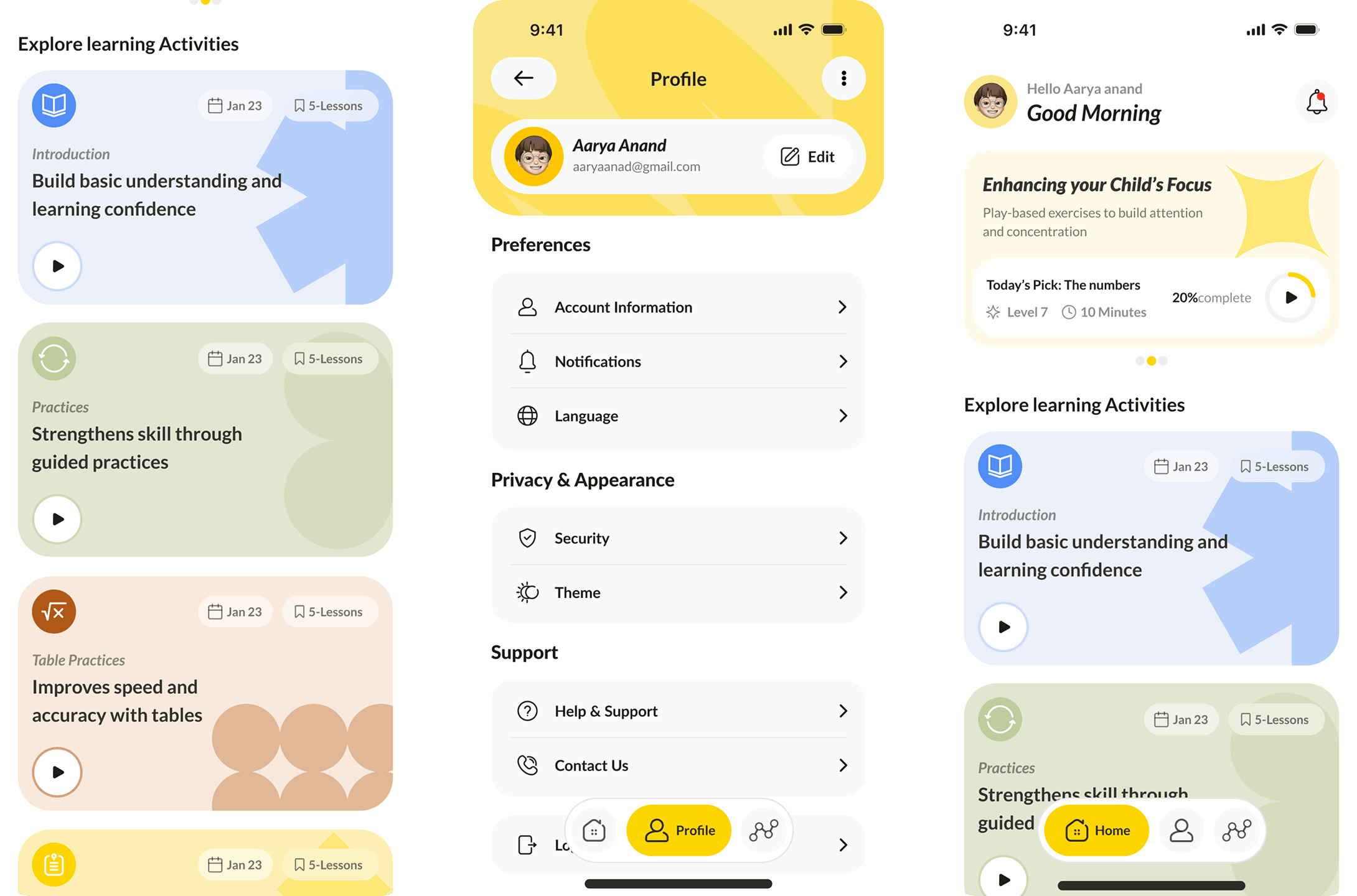
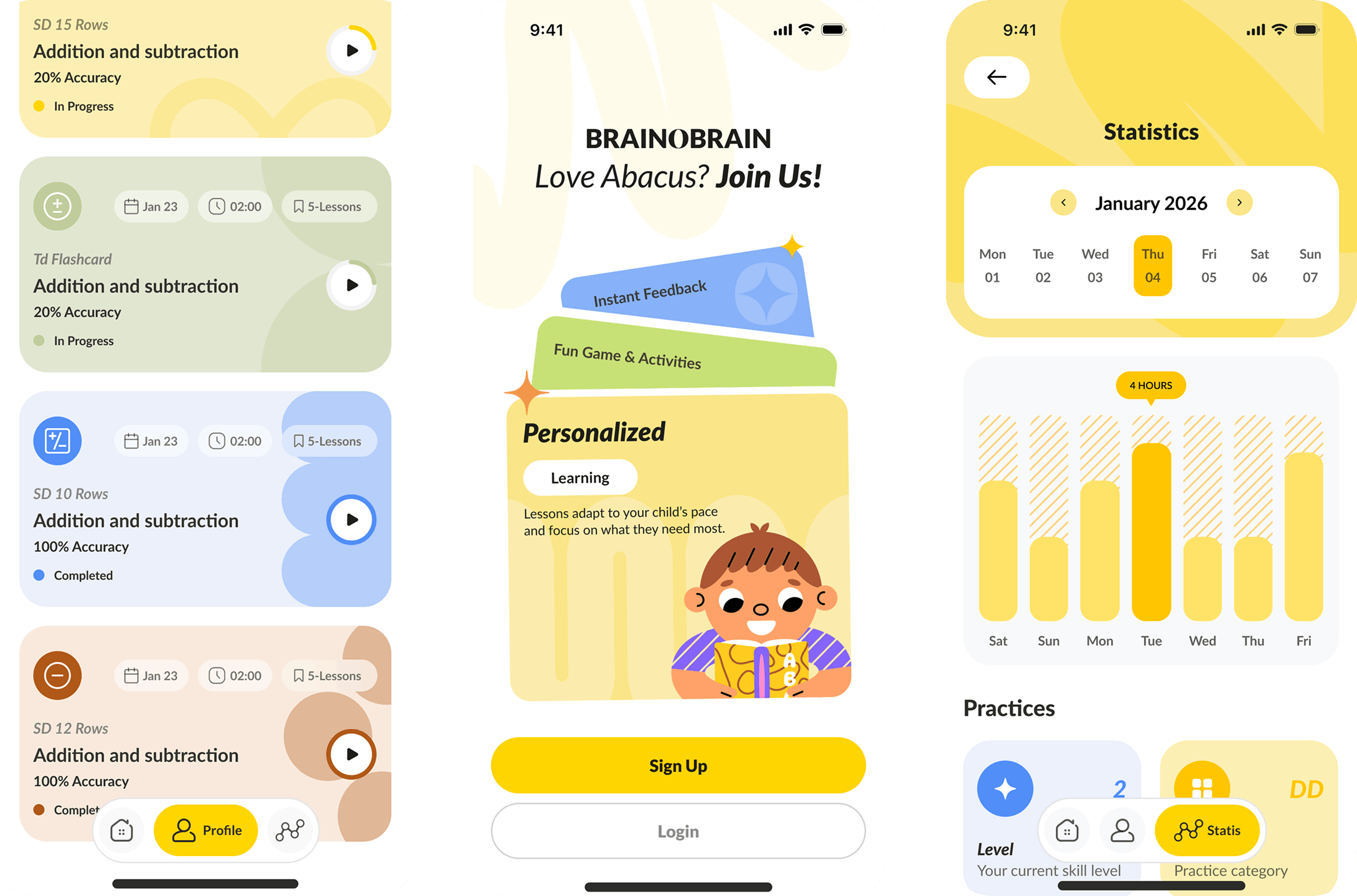
We redesigned the interface end-to-end, introducing a clearer visual system, calmer layouts, and consistent components. The result was a build-ready UI kit and handoff pack so the team can roll out the redesign reliably across the app.
The Challenge
The existing UI created friction across core journeys: onboarding, daily practice, progress views, and key prompts. Visual noise, weak hierarchy, and inconsistent patterns made it harder to understand what to do next.
The redesign needed to simplify decisions without losing features: improve readability, reduce cognitive load, and create a consistent system that scales across dozens of screens and future releases.

The Process
We audited the existing interface to identify where users were getting slowed down: unclear hierarchy, inconsistent components, and overloaded screens. That gave us a prioritised list of redesign targets across key journeys.
Next, we mapped the main flows and rebuilt the experience with a cleaner structure, better spacing, and consistent patterns for navigation, CTAs, and system feedback.
We then designed the new UI system and documented states and behaviours so the build team can implement confidently and extend the design across future screens.
- UI/UX audit
- Journey mapping
- Information hierarchy
- Component system
- Key screen redesigns
- Interaction states


The Build
We created a modern visual language for the app with improved typography, spacing, and colour usage to make the interface feel simpler and more trustworthy.
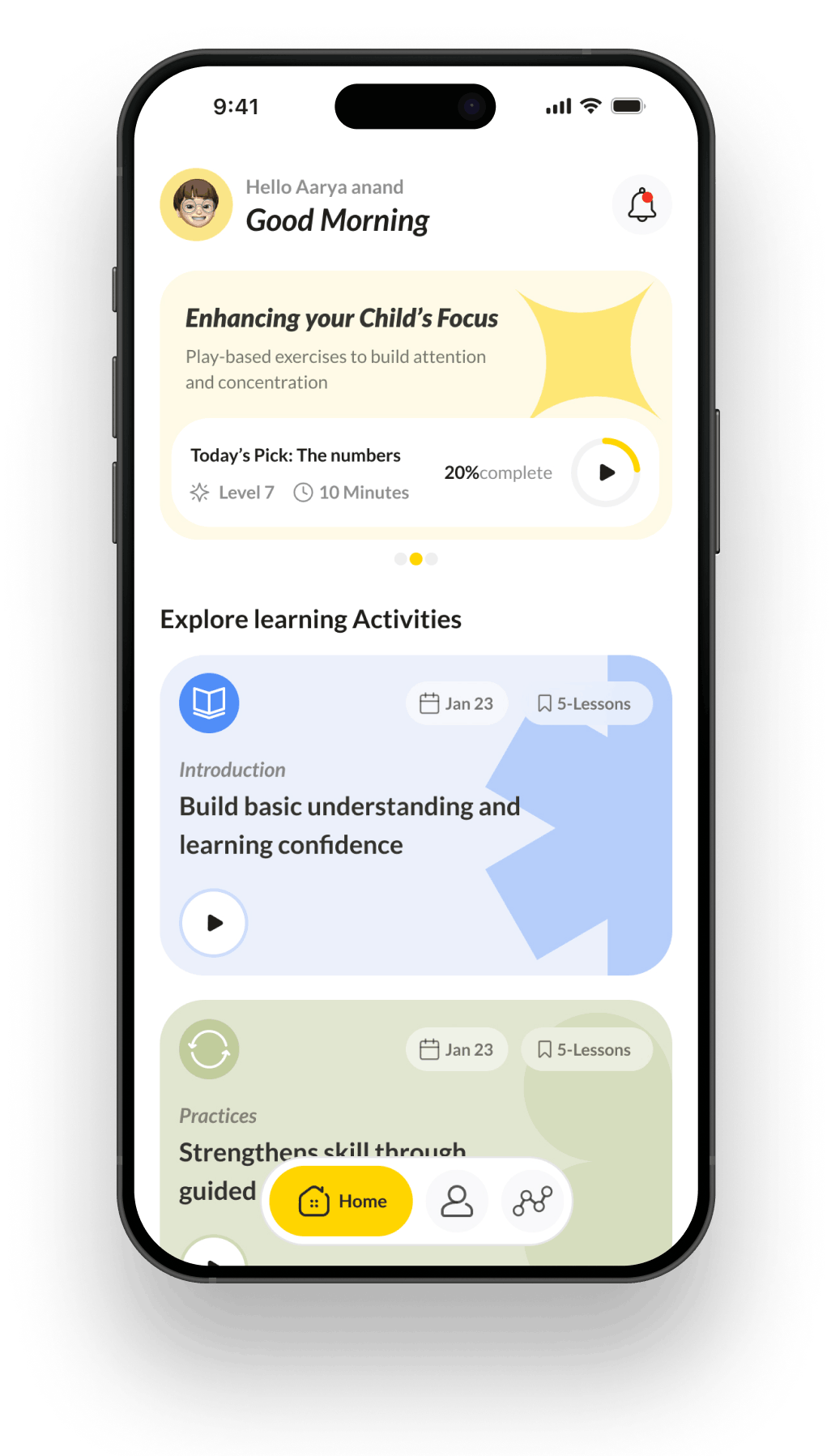
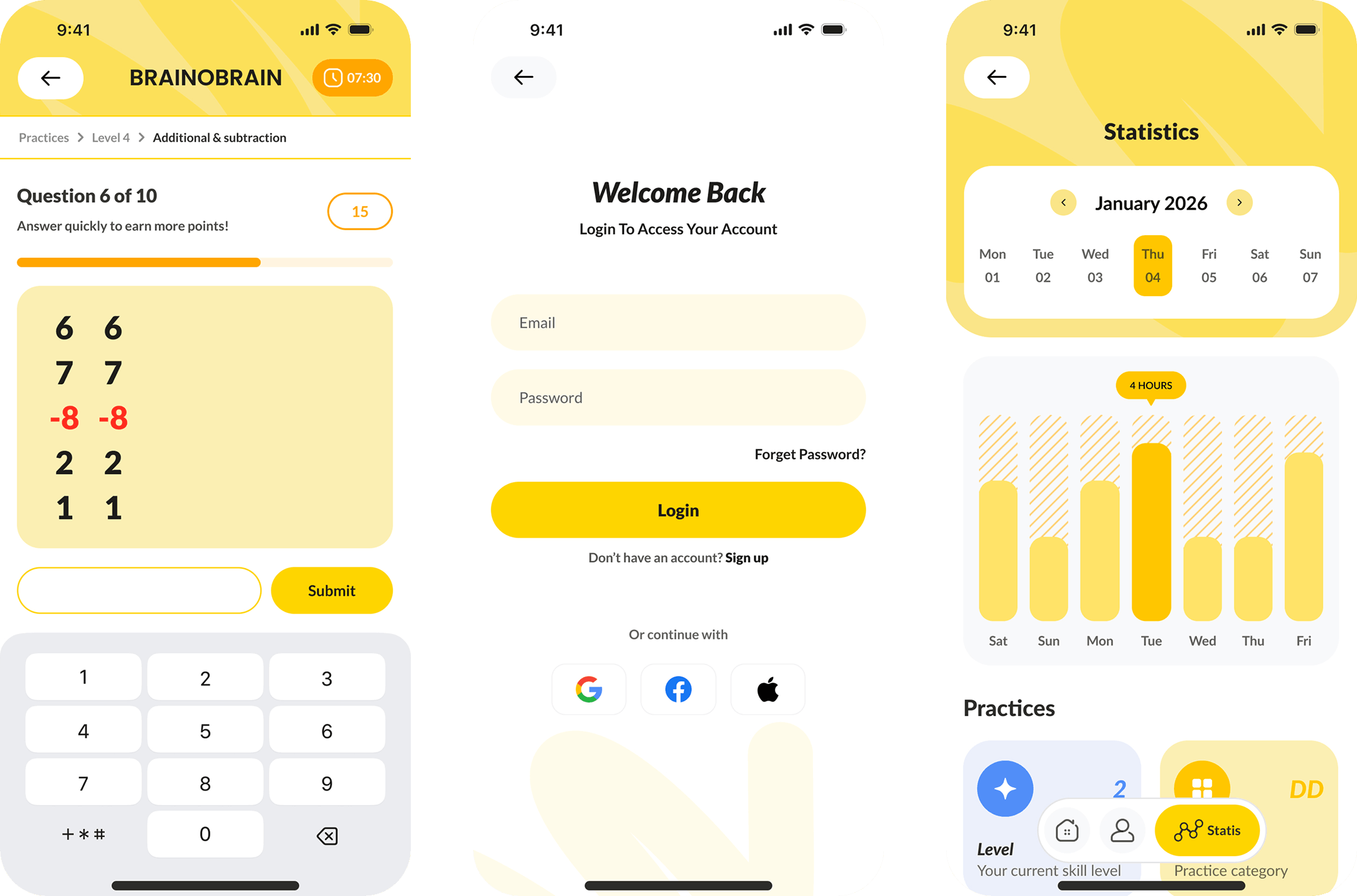
Key areas like chat-led guidance, progress views, and gamified rewards were redesigned with clearer hierarchy and feedback, so users always know what’s happening and what to do next.
The final handoff included reusable components, screen templates, and implementation notes to ensure consistency across iOS/Android and future releases.
- New UI system
- Reusable components
- Chat UI patterns
- Gamification UI
- Progress dashboards
- Responsive states
- Dev handoff notes
Behind The Build
Scope
UI redesign for an existing app, focused on clarity, consistency, and a smoother path through core learning journeys.
- UI/UX audit
- Journey mapping
- Navigation and hierarchy
- Chat UI redesign
- Gamification improvements
- Progress screens
- Component library
- Dev handoff notes
Resources
Lean senior team delivering a scalable UI system with build-ready documentation.
- 1 x Product/UX lead
- 1 x UI designer
- 1 x UX designer
- 1 x Delivery lead
The Results
BrainObrain now has a cleaner, more consistent interface that reduces confusion across key learning flows. The redesign improved readability, strengthened visual trust, and delivered a UI kit that makes future iterations faster and lower risk.
Cleaner UI
Less friction
Clearer journeys
Better guidance
Reusable system
Faster rollout
Want to build something similar?
Speak with our specialists.Get clarity on scope, cost and next steps.
Ideal if you’re planning a rebuild, migration, or growth sprint in the next 60–90 days.